

Export Twitter Accounts
Export the followers or following list of any public X account, your search results or your Twitter lists to CSV, with real records retrieved through official X APIs.

Circleboom Twitter Tool
Circleboom Twitter management tool provides account analytics, follower/friends insights, tools to check, fakes, spammers, inactive accounts, advanced account search and delete tweets services
EXPORT ANY TWITTER ACCOUNT
Exporting Twitter followers is one thing, but what about the followers of others? Wouldn't you like to analyze anybody's Twitter network in-depth and find new opportunities? Or maybe download a Twitter list you created as CSV? How does having the follower data of your competitors sound?
Circleboom's Twitter account export feature is the secret weapon you've been waiting for. Your competitors may already be using these tactics to their advantage. Don't let them stay ahead. Try Circleboom's Twitter account export feature now.
BOOST TWITTER MARKETING EFFORTS
Once you export Twitter accounts, you can use the CSV file to segment any account list, including your Twitter following & follower lists, by location, number of followers, or whether they are verified. Then, you can use these segments to;
1- Identify potential sales leads, business partners, competitors, and influencers out of your followers,
2- Create exact personas out of your follower data to tailor your content and campaigns, and
3- Examine the thought leaders in your industry to follow and level up your inspiration.
You'll never know what hidden gems are out there, so start exporting Twitter accounts, take your time to examine them thoroughly, and take your Twitter marketing to the next level with Circleboom.
EXPORT TWITTER / X ACCOUNTS BY KEYWORD
You can filter and narrow down the results by exporting Twitter / X accounts using a keyword. Circleboom lets you export Twitter followers and friends by keywords. You can find accounts containing specific keywords in their usernames or bios. Then, you can create and download a list of these X accounts into Excel or CSV.
BENEFIT FROM PERSONALIZATION
Data-driven campaigns start with the right audience. By filtering and exporting the followers or following of any account with Circleboom, you can personalize your Twitter marketing efforts.
For example, a business that sells software for social media marketers could export the followers of well-known social media marketing experts on X and use that list for outreach, or upload the IDs as a custom audience to reach them with Twitter ads at lower costs and higher accuracy.
YOU'RE SAFE WITH CIRCLEBOOM
Small and big businesses, as well as non-profit organizations all across the world, prefer Circleboom. We strictly follow the Twitter Rules, which forbid any action on Twitter that could jeopardize your account's security. You're in safe hands with Circleboom!
COMPLETE LISTS THROUGH OFFICIAL X APIS
Circleboom is an Official X Enterprise Developer, so every export is built from real records retrieved through official X APIs, including accounts that X's own interface stops loading in long lists.
Scraping-based tools collect data by loading pages, so they can miss records or produce incomplete datasets when pages fail to load or the interface changes. With Circleboom, each row comes straight from the official source: profile ID, username, name, location, bio, counts, verification and quality flags, and account creation date.
INFLUENCERS, VERIFIEDS, LISTS AND MANY MORE!
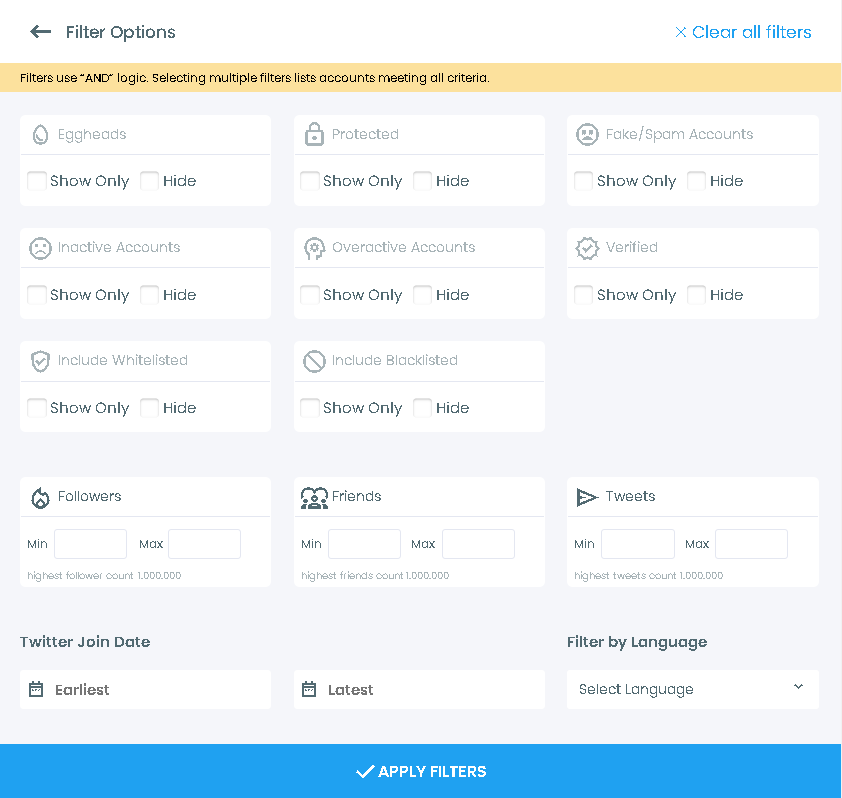
When you run an X bio and profile search or a followers / following search on Circleboom, you are presented a list of accounts that matches your criteria. After finding accounts that are interested in a specific topic or that follow/are followed by a specific account, you can easily export them. You can also filter them out by join date, follower count, activity level, and many other variables before exporting.
But wait, there's more to that! You can directly find Twitter influencers on Circleboom, identify verified accounts, or add any account to your Twitter lists. This also means that you can export Twitter accounts of influencers, verified accounts, or entire Twitter lists!
EXPORT TWEETS / X POSTS
Do you want to export tweets from any accounts? If yes, you can utilize Circleboom’s Export Tweets feature to list and export tweets of any X account (up to 3,200 tweets)!
You can download the tweets of any user and export them into a spreadsheet with Circleboom’s Tweet Exporter!
EXPORT TWITTER / X ACCOUNTS BY HASHTAG
Additionally, you can list Twitter / X accounts by searching with hashtags. Enter any hashtag and let Circleboom list and export Twitter / X accounts containing this hashtag. Finally, you can export Twitter accounts by hashtags to Excel or CSV files.
SNEAK PEEK INTO COMPETITION
By exporting the followers and following of your competitors, you can learn more about your competition's target audiences. This information can then be used to develop more effective marketing strategies.
Once you have done your competitive analysis by identifying the details of your competitors' followers and followings, you can identify potential new followers and then reach out to these people to encourage them to follow you as well.
For example, a restaurant could export the followers of other restaurants in their area. Then, they could analyze this list to identify the demographics of their competitors' customers.
Or you can always turn the followers of your competitors into your second-party data and show your ads directly to them.
HOW TO EXPORT TWITTER ACCOUNTS
Competitive research, outreach, custom audiences or a backup before a cleanup: here's how to export any X account list with Circleboom:
Log into Circleboom Twitter.
If you don't have a Circleboom account yet, you can create one with your email.

Connect your X account to Circleboom.
Circleboom connects through X's official sign-in as an Official X Enterprise Developer, so it never asks for your password.

Open the left menu and go to Essential Toolbox > Export Tools > Export Followers or Following.
Enter any public X username, yours or someone else's, and check the profile card that appears to confirm it's the right account. Then choose Export Followers or Export Following and click Export. Circleboom retrieves the full list through official X APIs and prepares your CSV file.

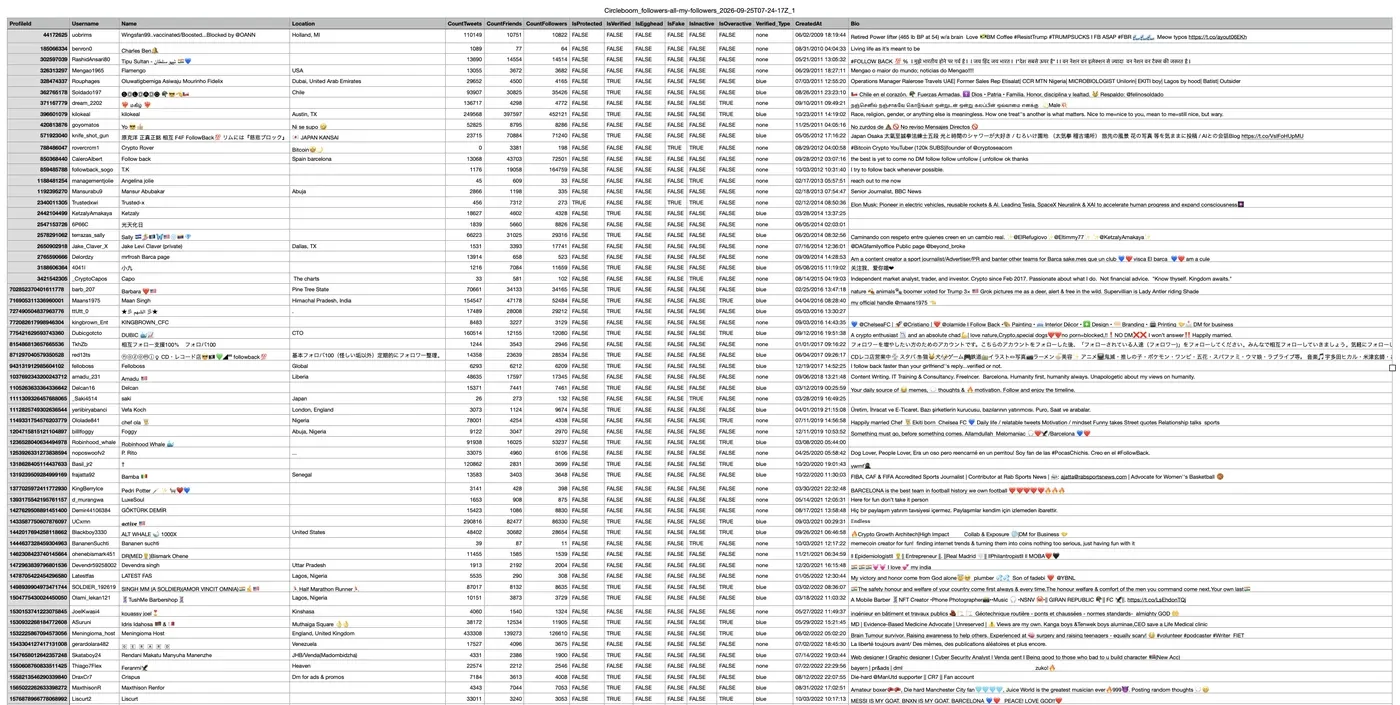
Open your CSV file.
Every row is one account with profile ID, username, name, location, bio, tweet, following and follower counts, verification, quality flags (egghead, fake, inactive, overactive) and account creation date.
Want to export only part of your own audience?
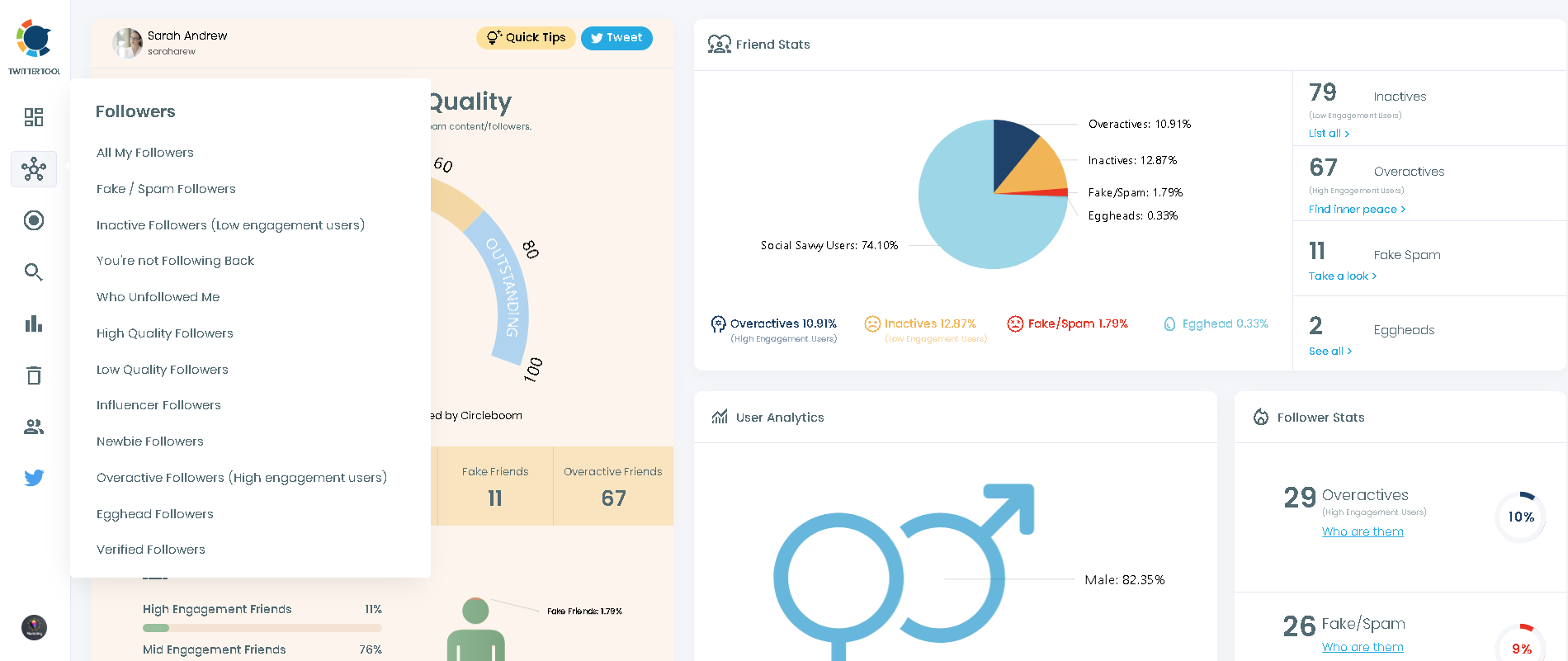
Open All My Followers or All Your Following under Followers / Following Management & Analytics, select the accounts you need and export them.
Or export accounts you find with search.
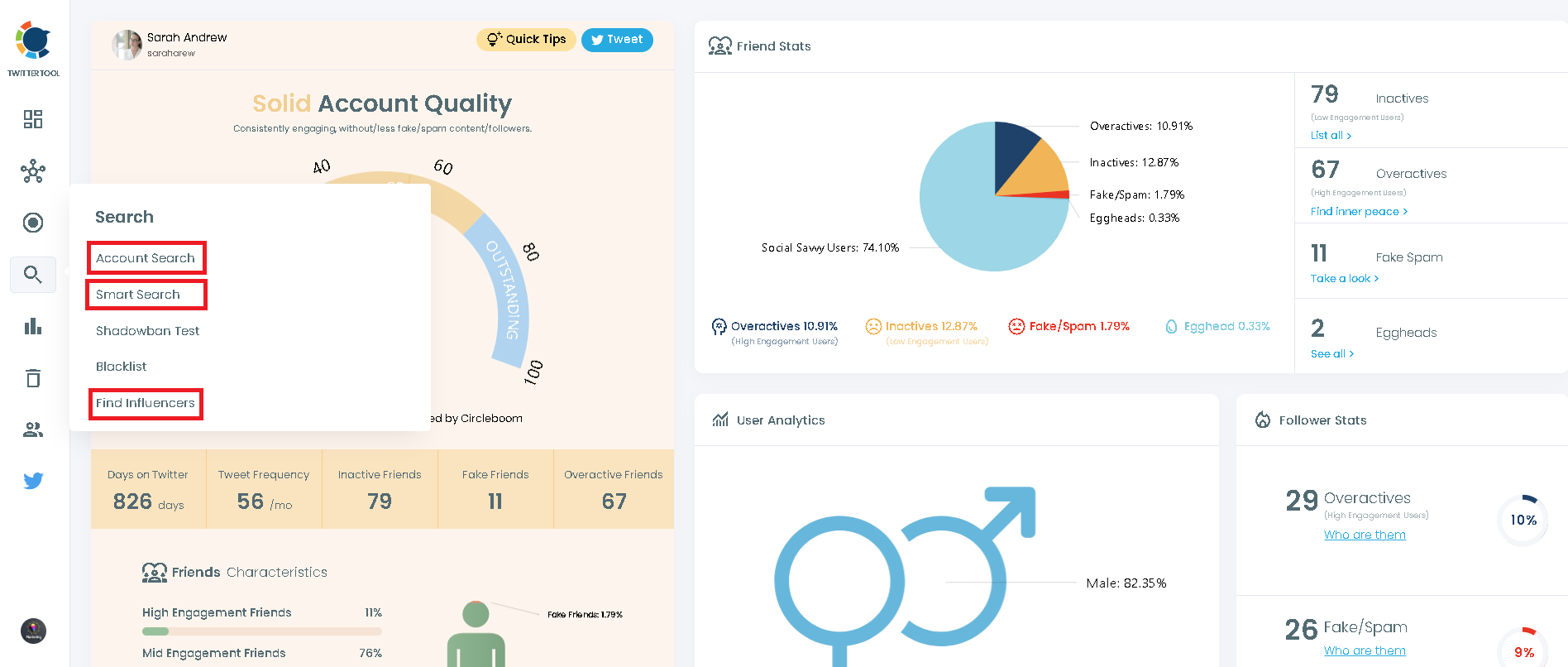
Use Circleboom's Live X Account Search, Deep X Account Search or Find Influencers to list accounts by keyword, bio, hashtag or niche, then export the results.
Apply filters before you export.
You can filter accounts by join date, verification status, activity level, tweet count, follower count, location and more. Export your X account lists now!