Search Twitter by Location
Circleboom filters X accounts and tweets by location, turning a profile field that barely surfaces into a structured way to find local influencers, communities, and conversations.
Circleboom : An Official Enterprise Developer
"Work with a trusted X Official Enterprise Developer to expand what's possible for your business. Each Official Enterprise Developer has been selected for the program after an extensive evaluation, and represents excellence, value, and trust." — X (Twitter)Circleboom Twitter Tool
Circleboom Twitter management tool provides account analytics, follower/friends insights, tools to check, fakes, spammers, inactive accounts, advanced account search and delete tweets services

SEARCH TWITTER WITH GEOLOCATION DATA
Geolocation data on Circleboom comes from the location field in each account's X profile. Apply Filter by Location alongside Follower Count, Engagement, Verification, and Join Date filters in Followers / Following Search, Live Search, or Deep Search, and every result returns its location next to the account's other profile signals.
That combination is what makes location-based searches on X useful beyond a single city name: scope a competitor's follower list to one region, then layer on engagement tier and follow ratio to find the highest-value accounts in that location before exporting or following.

FIND TWEETS NEAR YOU
Real-time Tweet Search and Historical Tweet Search both return a Tweet View where every post carries the author's display name, username, and location alongside the tweet text, impressions, likes, and retweets. Search a keyword, hashtag, or topic, and scan that location column to find tweets near you or near any place that matters to your search.
To go further than browsing the column, switch to the Profile View: it's the deduplicated list of accounts behind those tweets, still showing location, so you can isolate the accounts actually posting "tweets near me" worthy content from your target area and follow, list, or export them directly.

FIND LOCAL INFLUENCERS
Find Influencers combines topic relevance with reach: follower count, engagement rate, verification status, and the same Filter by Location field used across Circleboom's search tools. Add a city or region to find local influencers whose audience and activity are actually concentrated in that market, not globally prominent accounts with little overlap there.
Sort the results by follower count or engagement rate, then export or add the strongest matches to a Twitter/X List, building a location-scoped influencer shortlist for a regional campaign, partnership, or ambassador program without sorting through accounts based anywhere else.

TWEET LOCATION VS. TWITTER ACCOUNT LOCATION
It's worth being clear about what "location" means in a Twitter search. Circleboom's Filter by Location matches the location text an account has entered in their profile, self-reported, optional, and sometimes a joke ("Earth", "Everywhere") rather than a real place. It is account location, not a per-tweet geotag.
Tweet-level location, in the Tweet View of Real-time and Historical Tweet Search, shows where the account behind that specific post is based, the same profile field, attached to that tweet. Neither is a precise coordinate or geotag; both are directional signals best used alongside other filters, not as exact data.

TWITTER GEOLOCATION
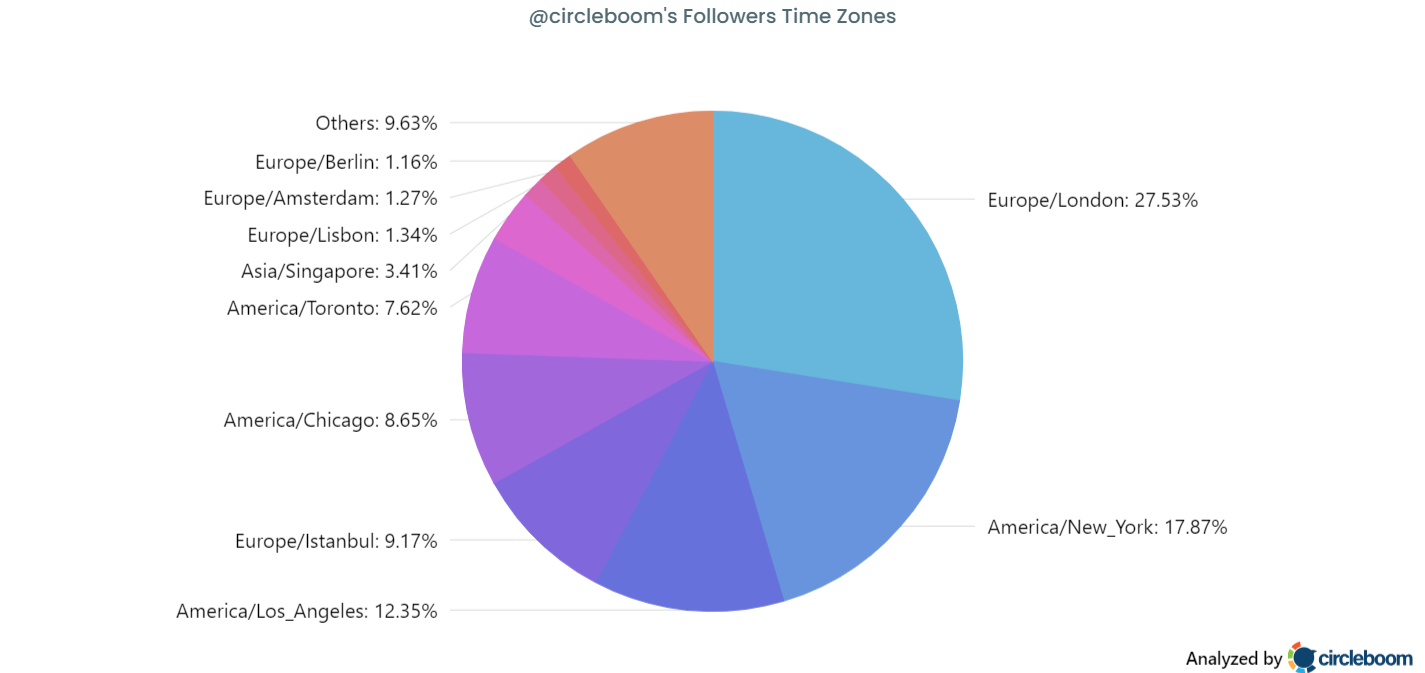
Twitter geolocation in Circleboom runs on the same data source everywhere it appears: the location field from an account's public profile. Followers' Map / Time Zones aggregates it into a world map and time zone breakdown for your audience; Filter by Location applies it as a search filter across Live Search, Deep Search, and Find Influencers.
Because both features read the same underlying field, a region that shows up strong in your Followers' Map is also a region you can search directly: apply that location term in Filter by Location to find the specific accounts behind the geolocation numbers on the map.
TWEET MAP
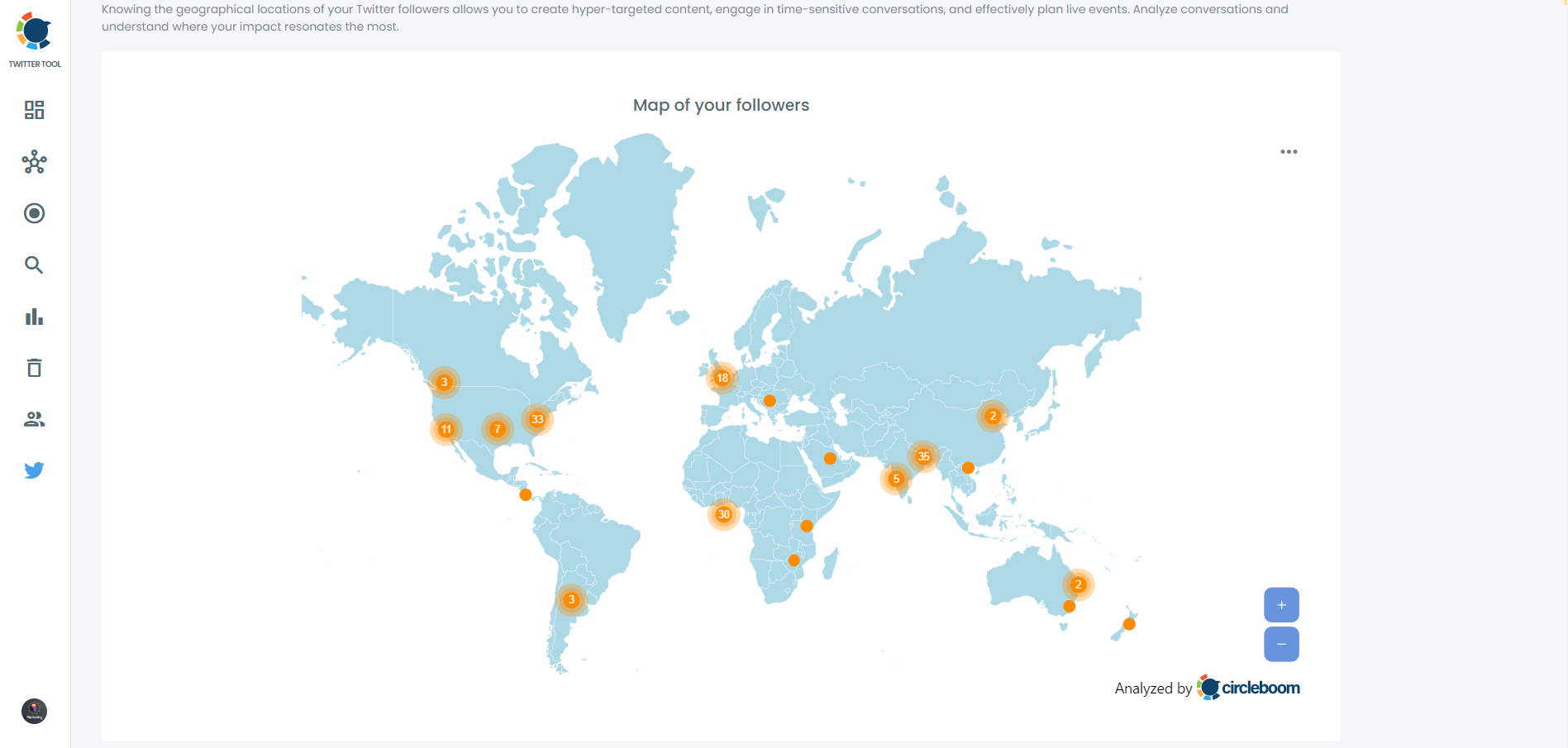
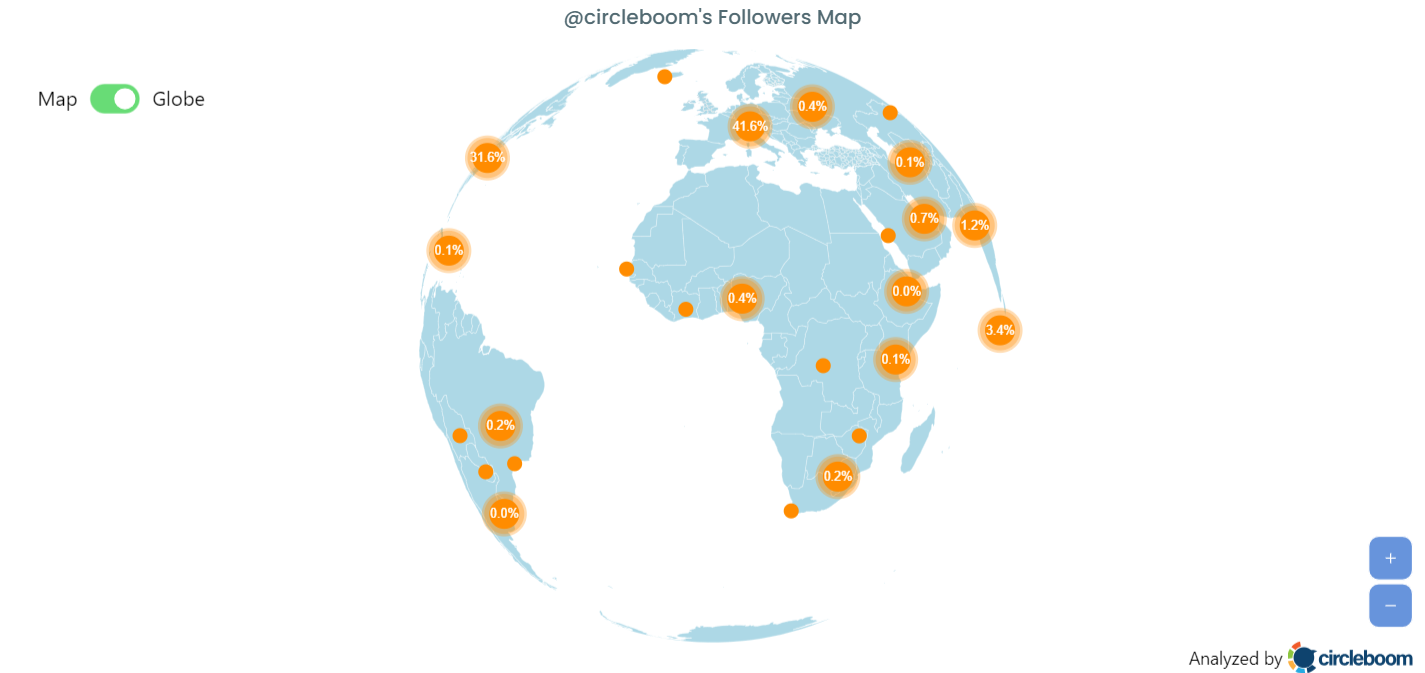
Circleboom doesn't plot individual tweets as pins on a map, but Followers' Map / Time Zones gives you the closest practical equivalent: an interactive world map with orange bubble markers sized by the percentage of an audience in each region, a toggle to a 3D globe, zoom controls, and an export button for the underlying location data.
Use it as a tweet center for a hashtag or campaign. Pull the Profile View from a Real-time or Historical Tweet Search on that hashtag, run those accounts through the same location lens, and the regions with the heaviest concentration are the center of where that conversation is actually happening.

CIRCLEBOOM IS AN X ENTERPRISE DEVELOPER
Circleboom is an official X Enterprise developer tool. Therefore, when you use Circleboom services and connect your X account, you are totally safe. You will enjoy tools and services that are not available even in the native X dashboard.
BROWSE TWITTER BY LOCATION
Filter by Location is the free-text field built into Live X Account Search and Deep X Account Search. Enter a city, region, or country, for example "New York", and Circleboom matches it against the location text in each account's profile, returning a structured table of accounts based there instead of a scrolling feed.
Use Live Search to browse Twitter by location for accounts currently active in that place, or Deep Search for broader historical coverage. Either way, results arrive sortable and filterable by follower count, engagement tier, and bio keywords before you follow, list, or export.
TWITTER GEOCODE SEARCH
"Geocode" on Circleboom isn't a coordinate lookup, it's the Filter by Location field: a free-text match against the location string each account enters in their own profile. Type a city, region, or country into a Twitter geocode search across Live Search, Deep Search, Followers / Following Search, or Find Influencers, and only accounts whose profile location matches come back.
Looking for Twitter nearby results for your own city or a target market? Run the same free-text location term through whichever discovery mode fits the goal, current activity for Live Search, full historical coverage for Deep Search, and the location filter narrows results the same way every time.

PRECISE LOCATION TRACKING
Followers' Map / Time Zones aggregates the location field from every follower's profile and plots it on an interactive world map, orange bubble markers sized by the percentage of your audience in each region, with a flip to a 3D globe view and a paired time zone breakdown.
Re-run it after a campaign or a regional push for precise location tracking over time: compare the new percentages against a previous export to see whether your audience concentration in a target market actually shifted, then export the underlying location dataset as a structured file.
LOCAL COMMUNITIES AND BRANDS
X Community Search looks for X Communities by keyword and returns each one's member count, description, and creation date, filterable by member count, access type, and location. Search a city or regional term to surface local communities and brands already organized around that place, groups X's own community discovery won't return from a topic search alone.
Pair a community search with Find Influencers using the same location term: communities show you where a local audience is already gathered, while influencer results show you the accounts with reach inside that audience, two views of the same regional market from one location term.
TWITTER LOCATOR
As a Twitter locator, Circleboom doesn't return one account, it returns a filtered list. Enter a location into Filter by Location inside Live Search, Deep Search, Followers / Following Search, Find Influencers, or Community Search, and every account, follower, or community whose profile location matches comes back as a sortable table.
Combine the locator with bio keywords, follower count range, or engagement tier to narrow a broad place name like a country down to the specific segment, verified accounts, high-engagement profiles, or a follower range, that actually matters for the search.

LOCAL TWEETS
To find local tweets, run a keyword, hashtag, or topic through Real-time Tweet Search or Historical Tweet Search. The Tweet View returns every matching post with the author's location attached, so tweets from specific region you're researching are visible directly in the results table alongside impressions, likes, and retweets.
To find tweets posted in cities beyond the usual markets, combine the location column with the Language filter to separate local-language posts from international ones in the same dataset, then export the Tweet View or switch to Profile View to follow the local accounts behind it.

TWITTER ACCOUNT LOCATION TRACKER
Monitoring tracks any public X account's followers, following, and profile changes on a schedule, with the same Filter by Location available on results as in Live and Deep Search. Add a competitor or partner account to Monitoring, filter the tracked changes by location, and new follows or followers from your target region surface on their own.
As a Twitter account location tracker, it's most useful for regional competitive intelligence: track a competitor's audience growth filtered to one market, and every new follower based there is a candidate for your own outreach, list, or follow workflow.
HOW TO SEARCH TWITTER by LOCATION
Conducting an advanced search on Twitter by location is easy and effective with Circleboom. To search Twitter by location, you should follow these steps:
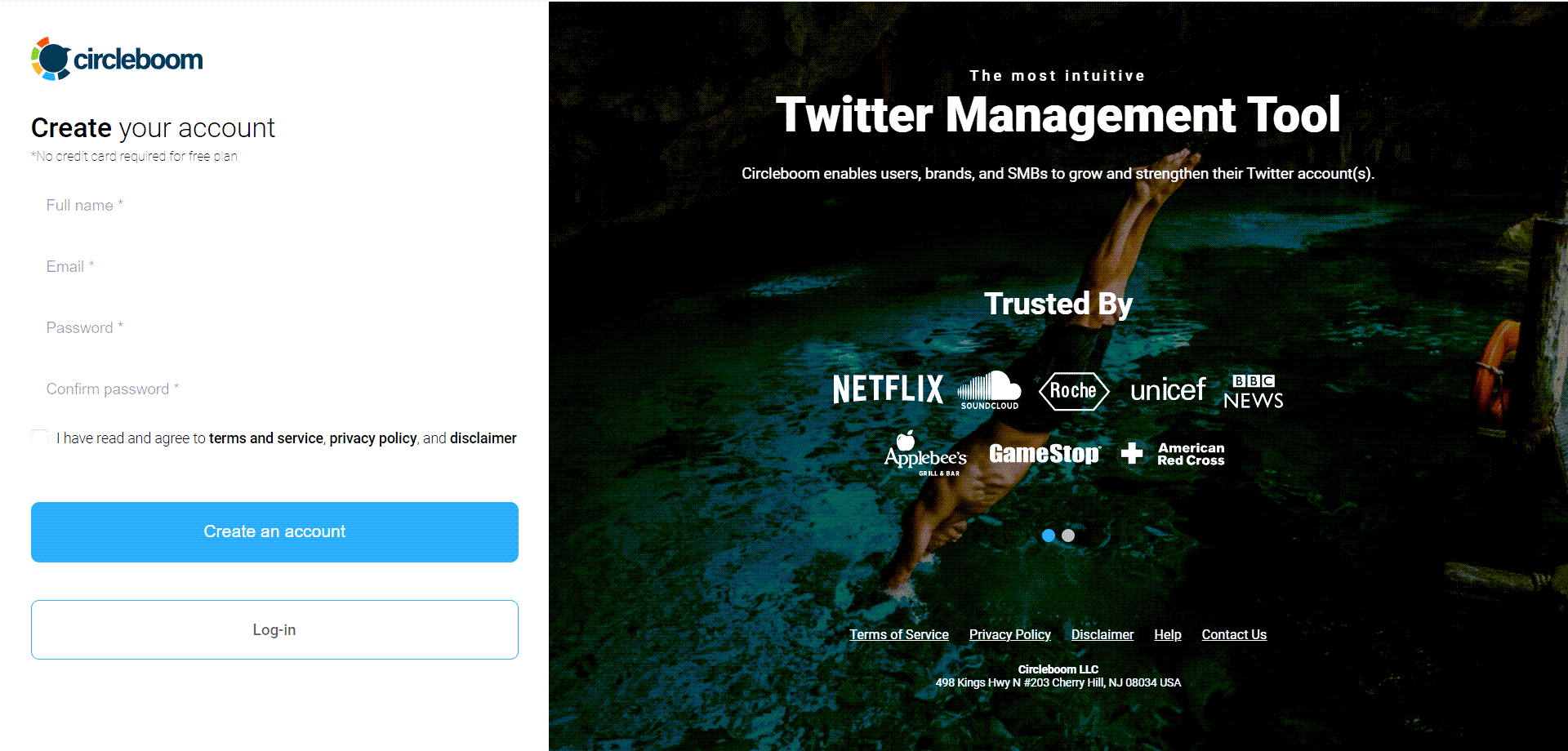
Step #1: Go to Circleboom Twitter and log in with an active e-mail.
You can easily register and create an account in seconds if you don't have one.
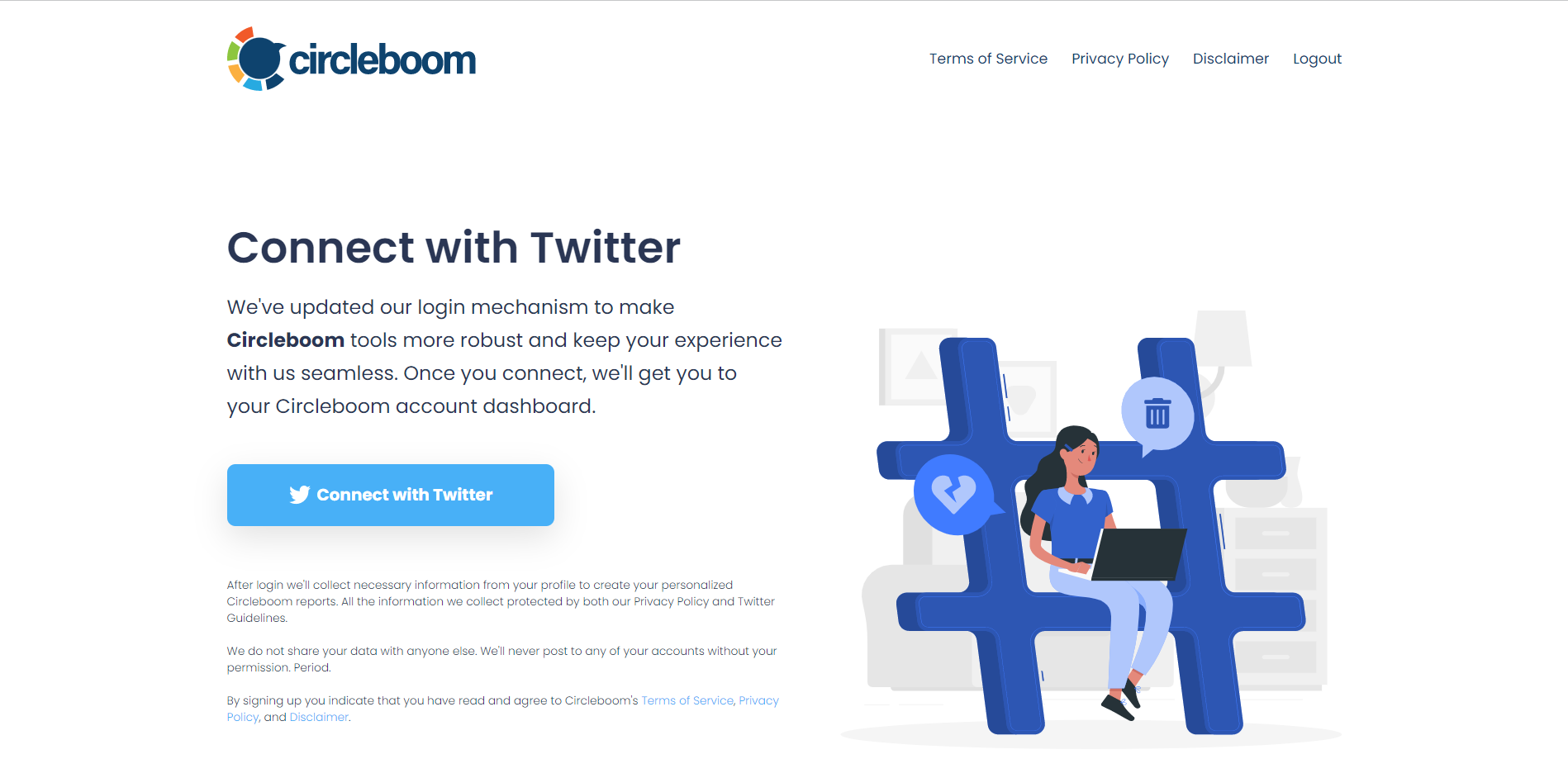
Step #2: Log in with your Twitter account and authorize Circleboom.
Now you're connected, welcome aboard!
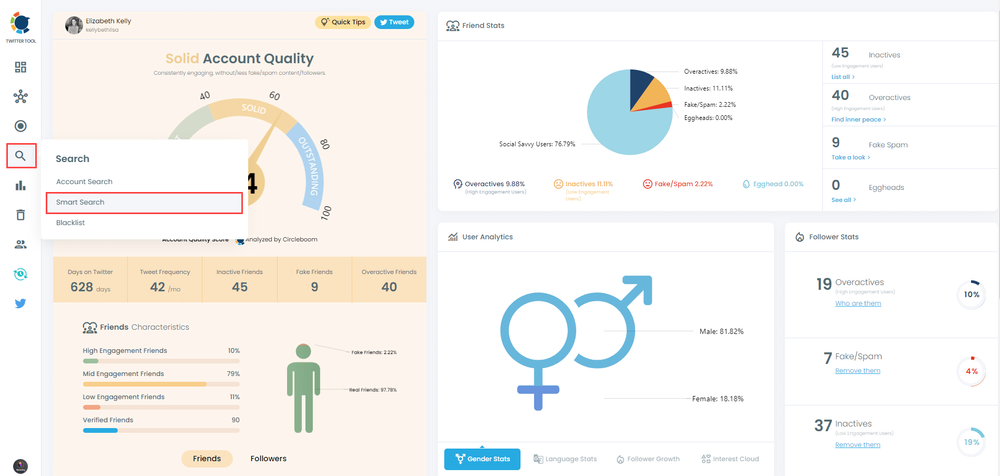
Step#3: Once on the Circleboom dashboard, navigate to the left menu and hover on "Search."
Then click on "Smart Search" and get ready to dive deeper.
Step#4: Simply conduct any search to find accounts by their usernames, bios or the content of the tweets.
We'll be proceeding with the example of NFT.
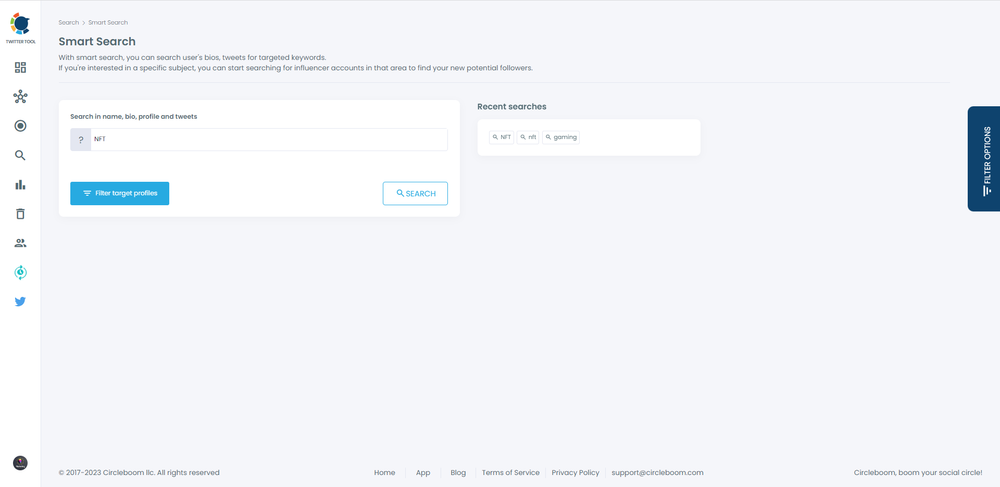
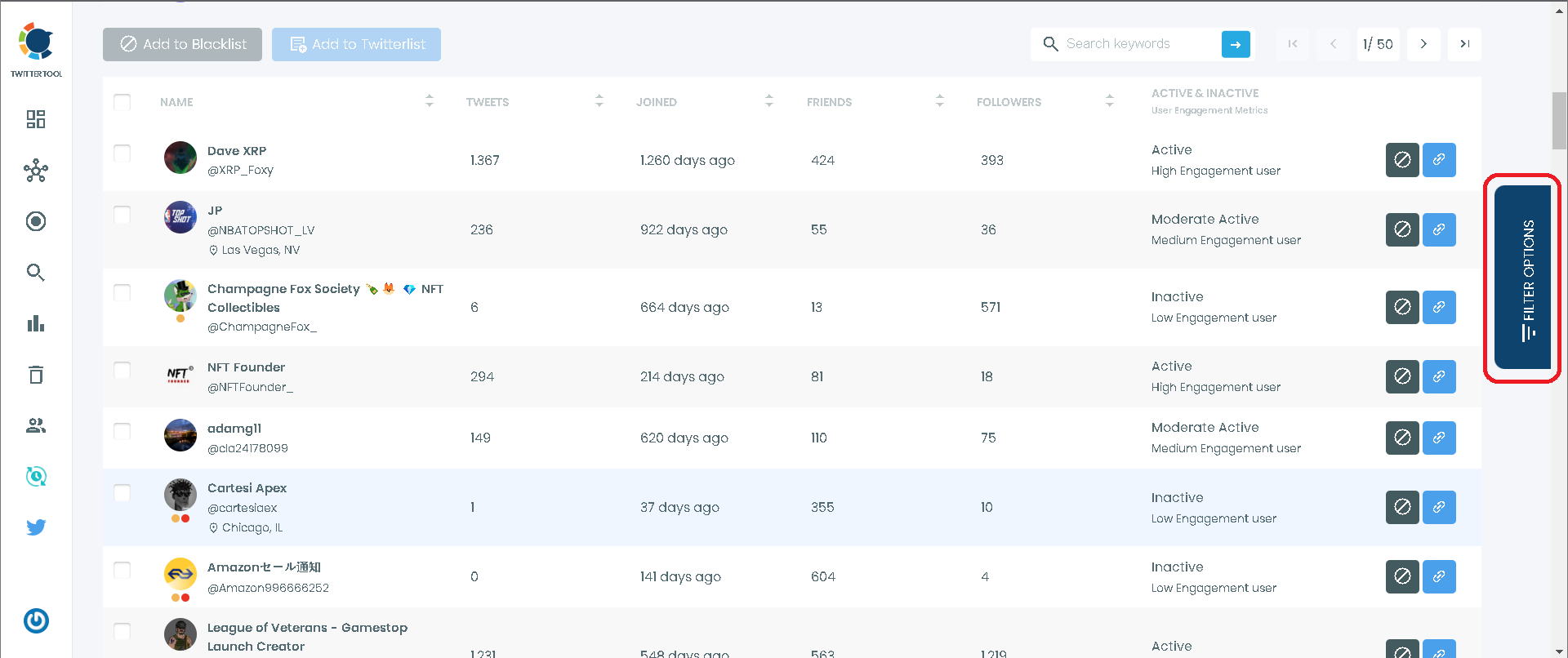
Step#5: After having the accounts listed, you can start filtering them.
Head over to the page's right side and click on "Filter Options."
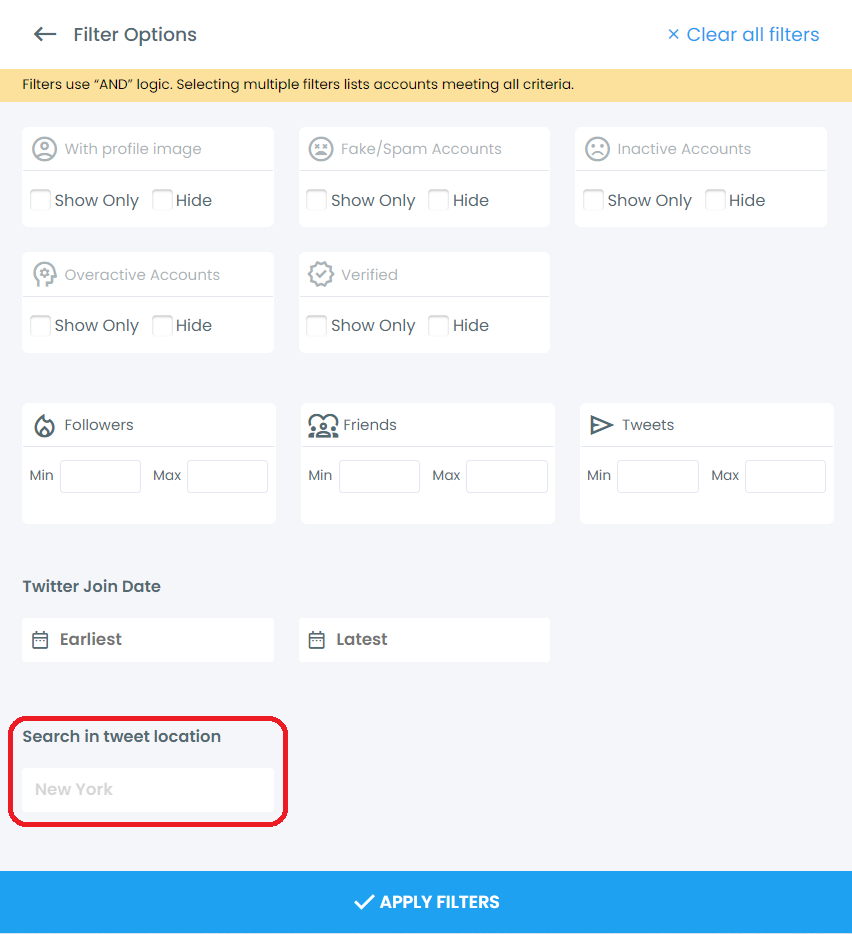
Step#6: Now that you have all the filters before you, it's only a matter of choice.
Type any location and filter the accounts. Voila!
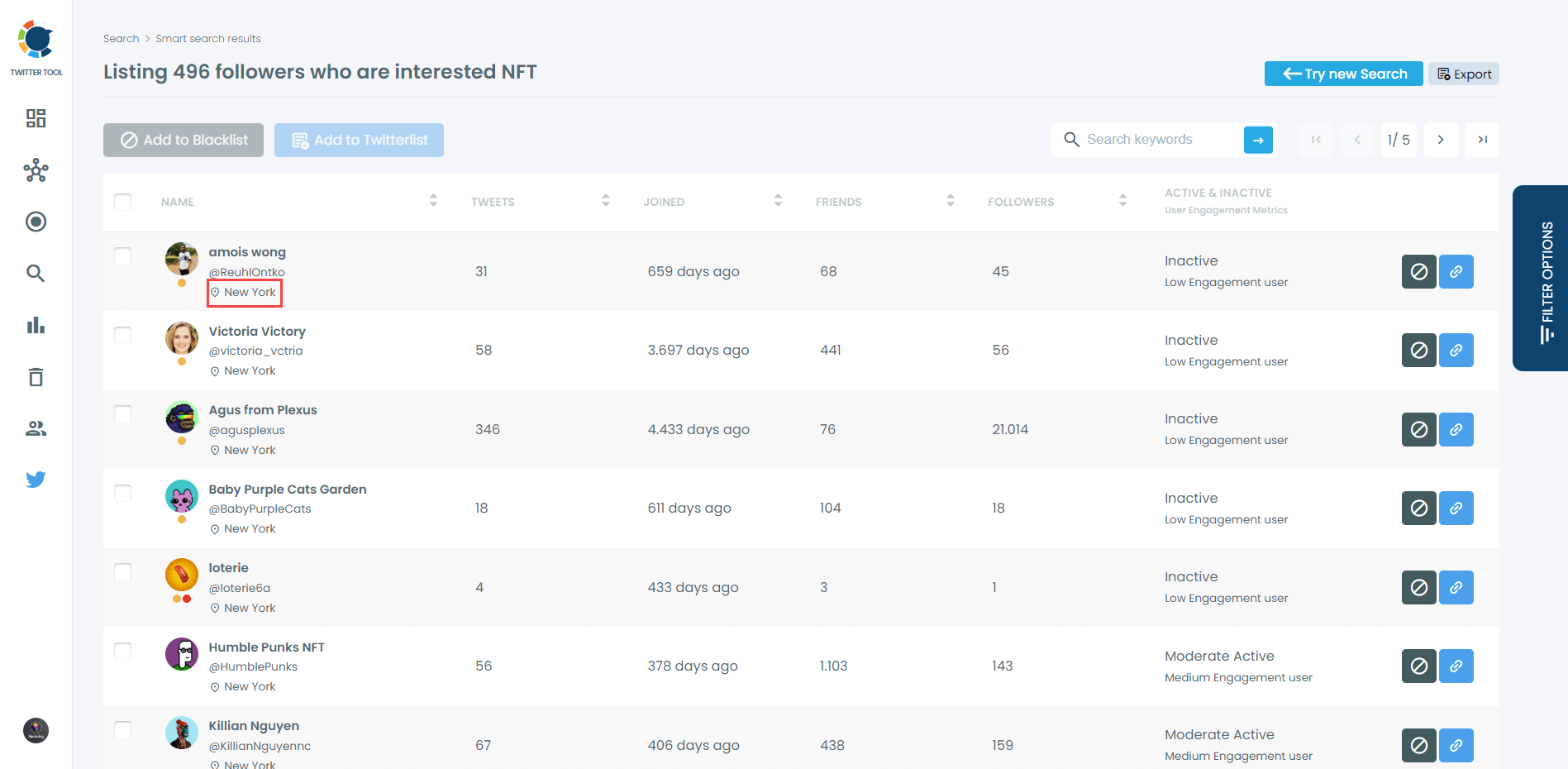
Plus, you can view the location of your Twitter followers and friends.
You can have both flat and global view.
Frequently Asked Questions (FAQs)
Do you want to have a new, cleaner appearance on Twitter? If so, maybe you should consider deleting your tweets, deleting retweets, or removing your old Twitter likes!